Web UI tour
A guided walk through the React SPA. Each screenshot below is regenerated deterministically by the Playwright harness documented in Contributing — they stay in sync with the code, not a moving memory.
Session landing
First screen when you open http://127.0.0.1:8080. Pick a saved session or start a new one.
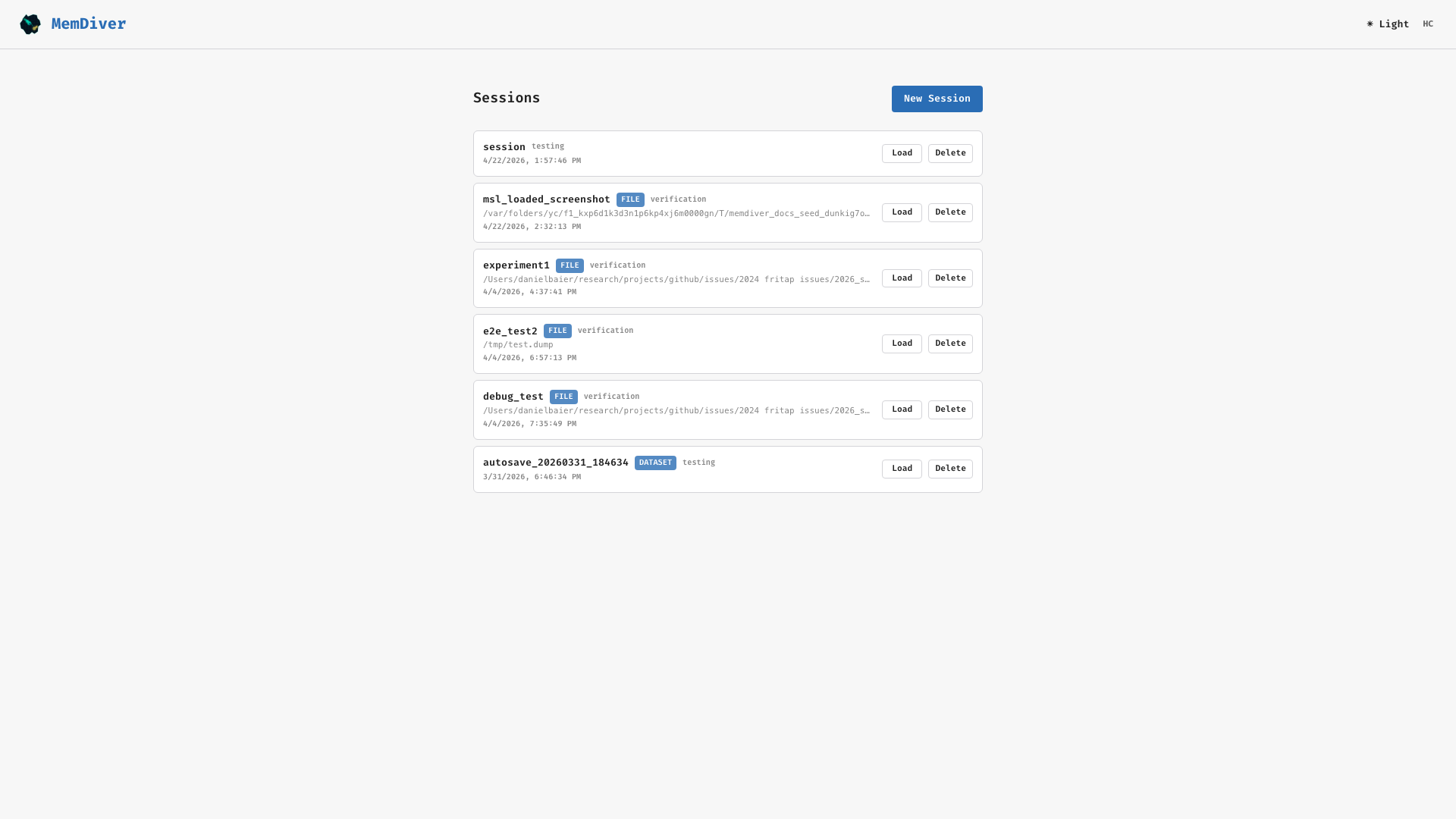
The session-landing view enumerates .memdiver SessionStore entries and offers a “New session” entry point into the wizard.
Wizard — select data
Type a path or click Browse to open the file-browser modal.
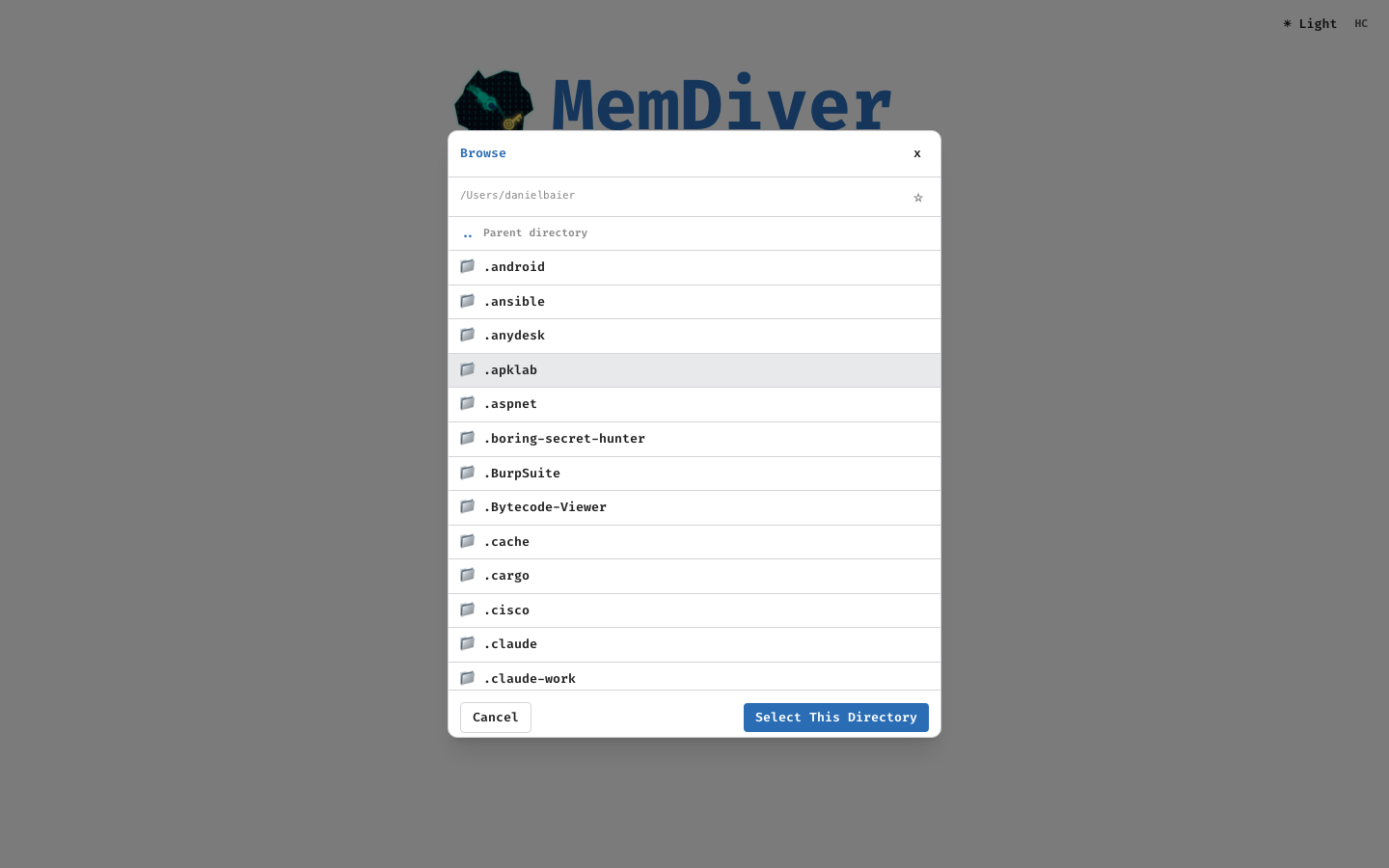
Accepted input types: a single .dump or .msl file, a run directory (auto-detected), or a full dataset root.
Wizard — analysis algorithms
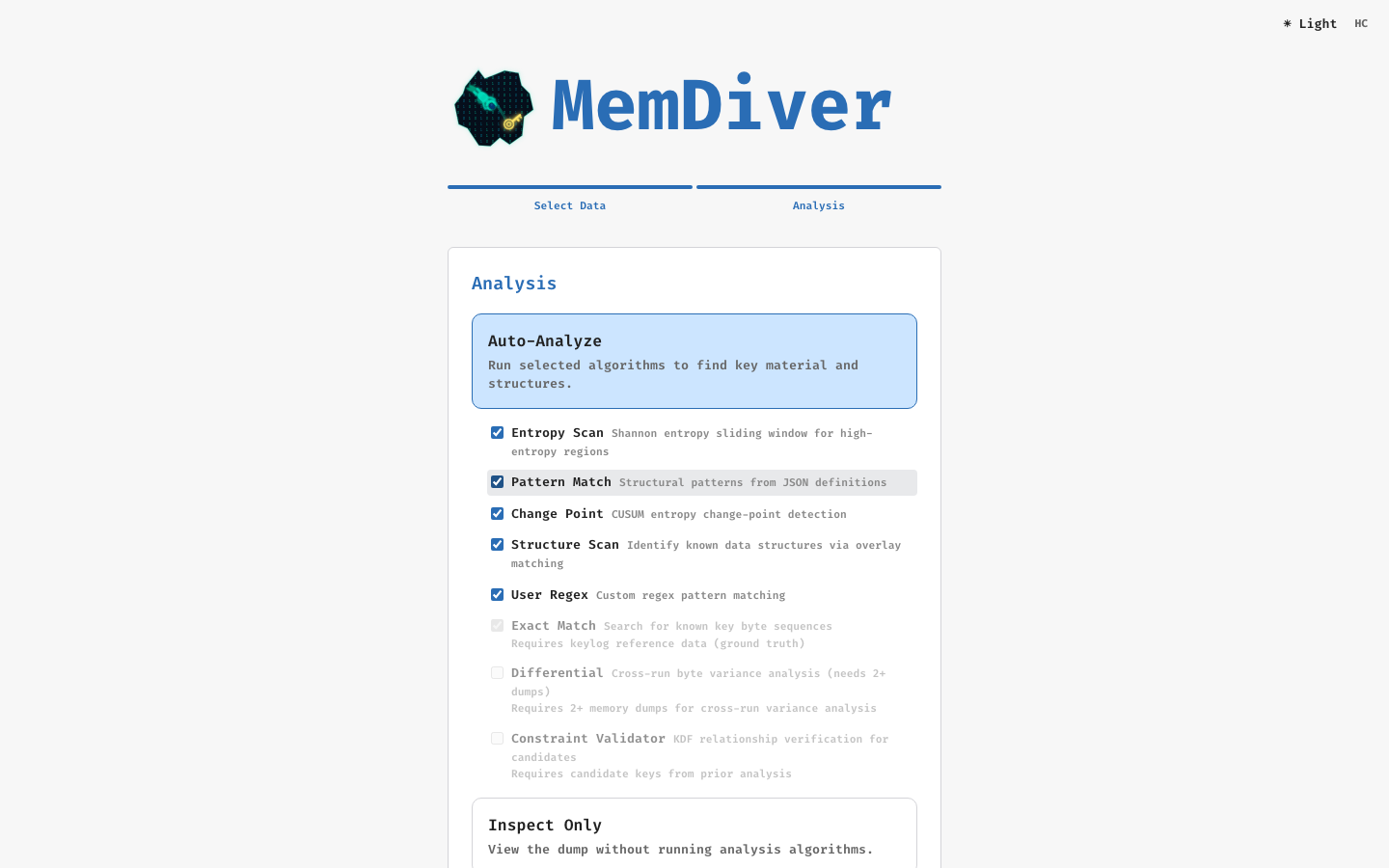
Algorithms unavailable for the selected mode (verification vs exploration) are dimmed. Defaults match the recommended set from Algorithms.
Workspace — default layout
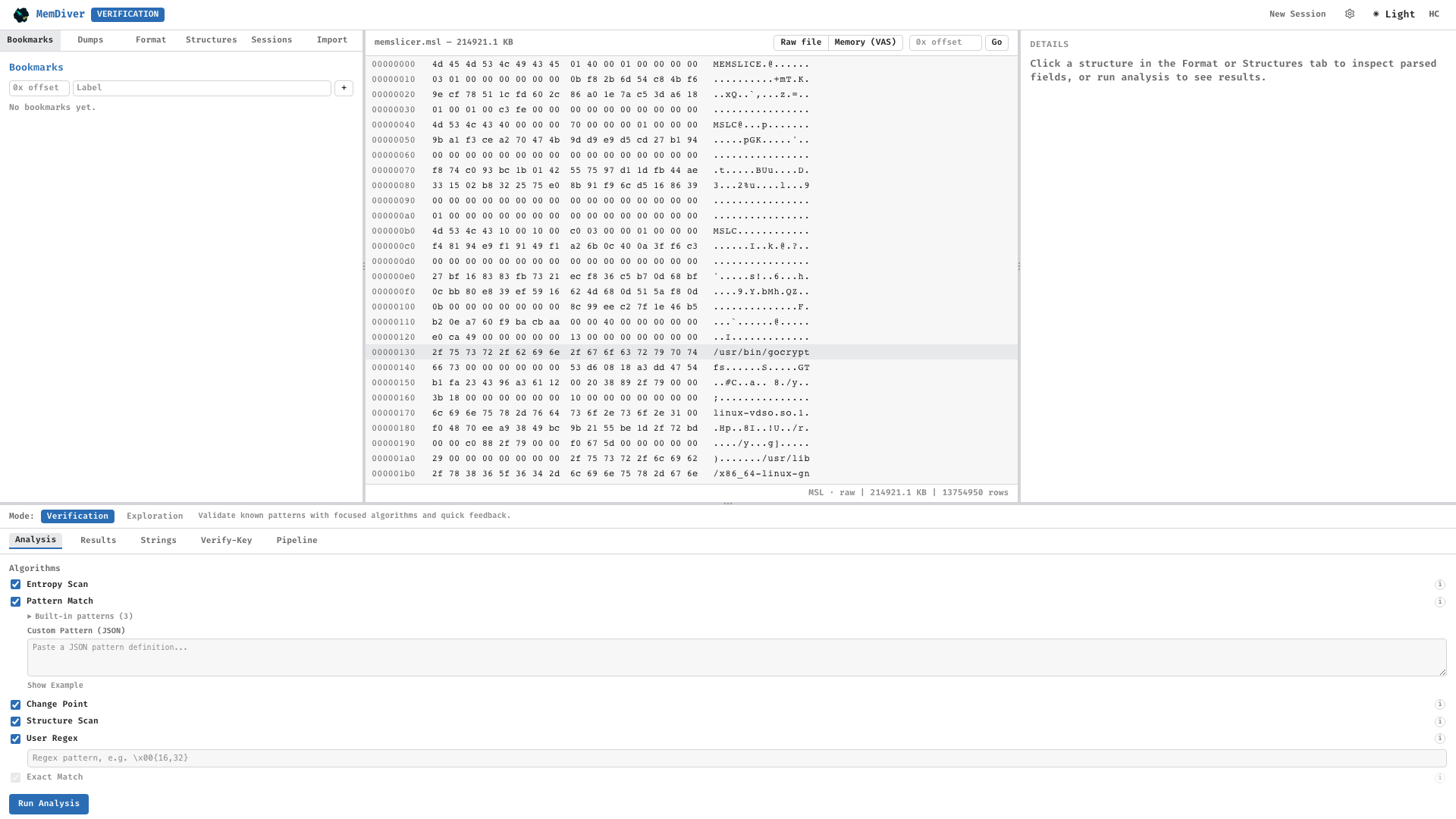
The IDA-Pro-style dockable workspace: main hex panel, sidebar with six tabs, detail overlay, and a mode-gated bottom-tabs row.
Hex viewer with structure overlay
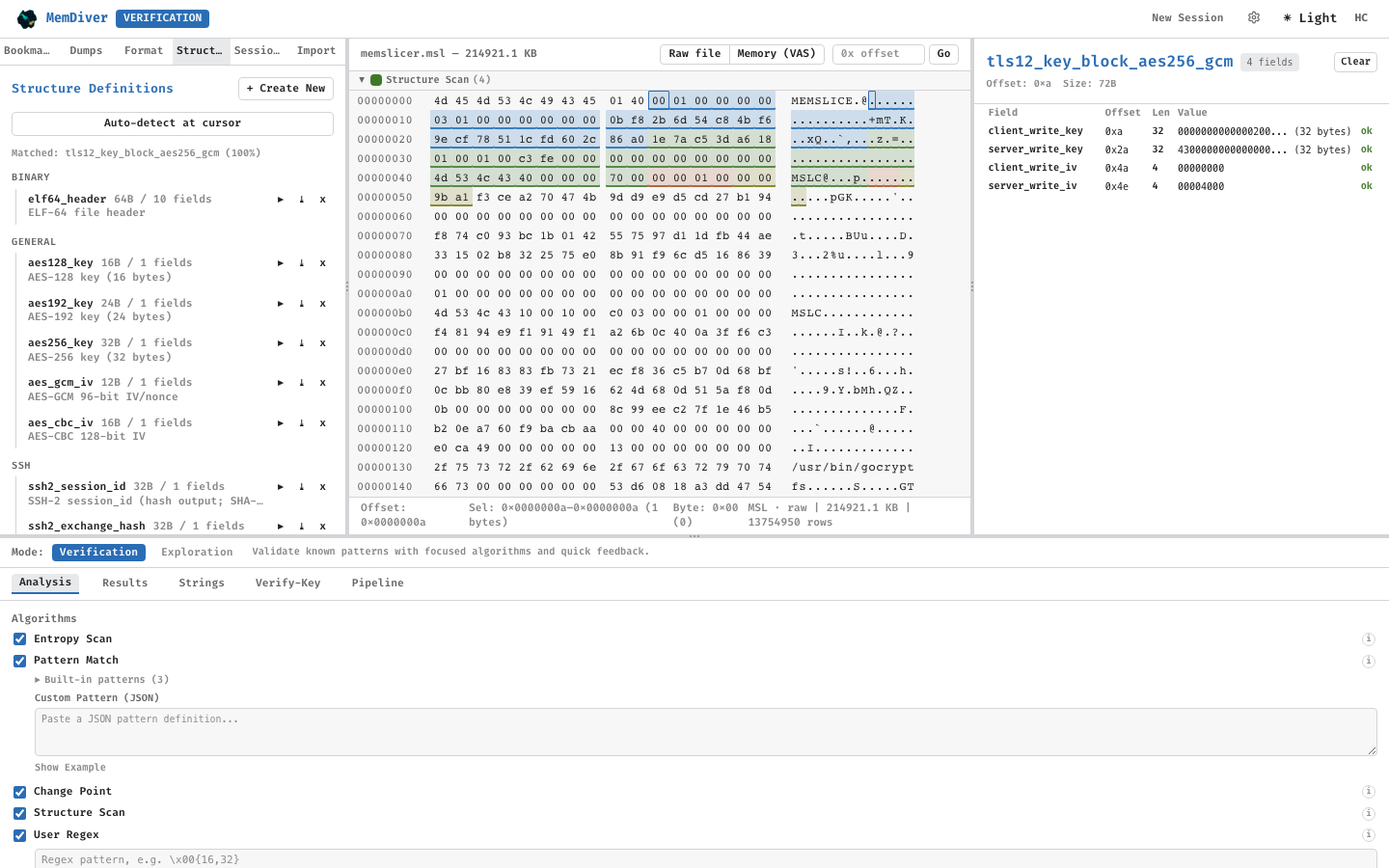
Structural fields are colored by class (static, dynamic, key_material); overlays drive the investigation panel on the right.
Entropy profile
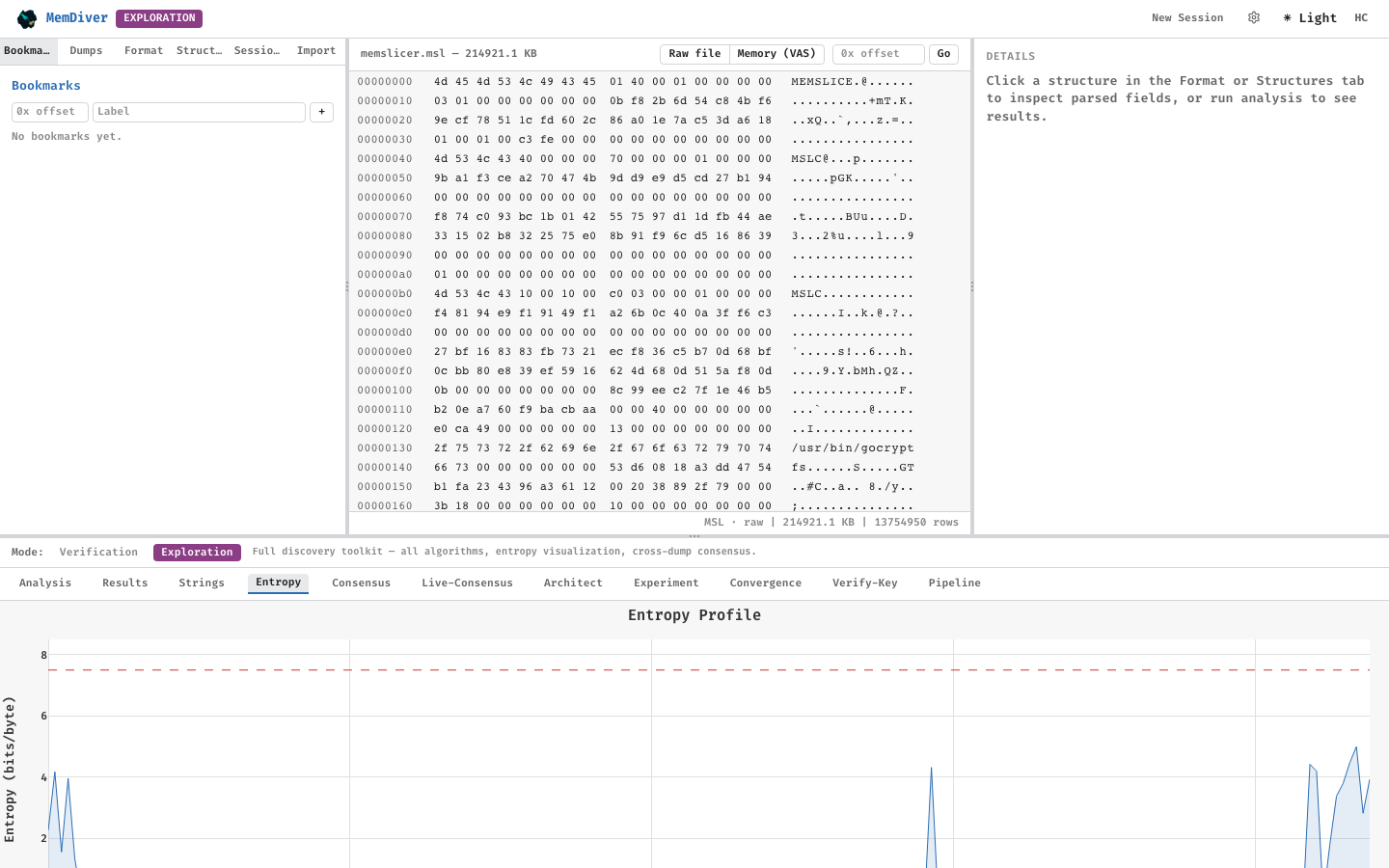
Sliding-window Shannon entropy. Shaded regions exceed the configurable threshold (default 7.5).
Consensus view
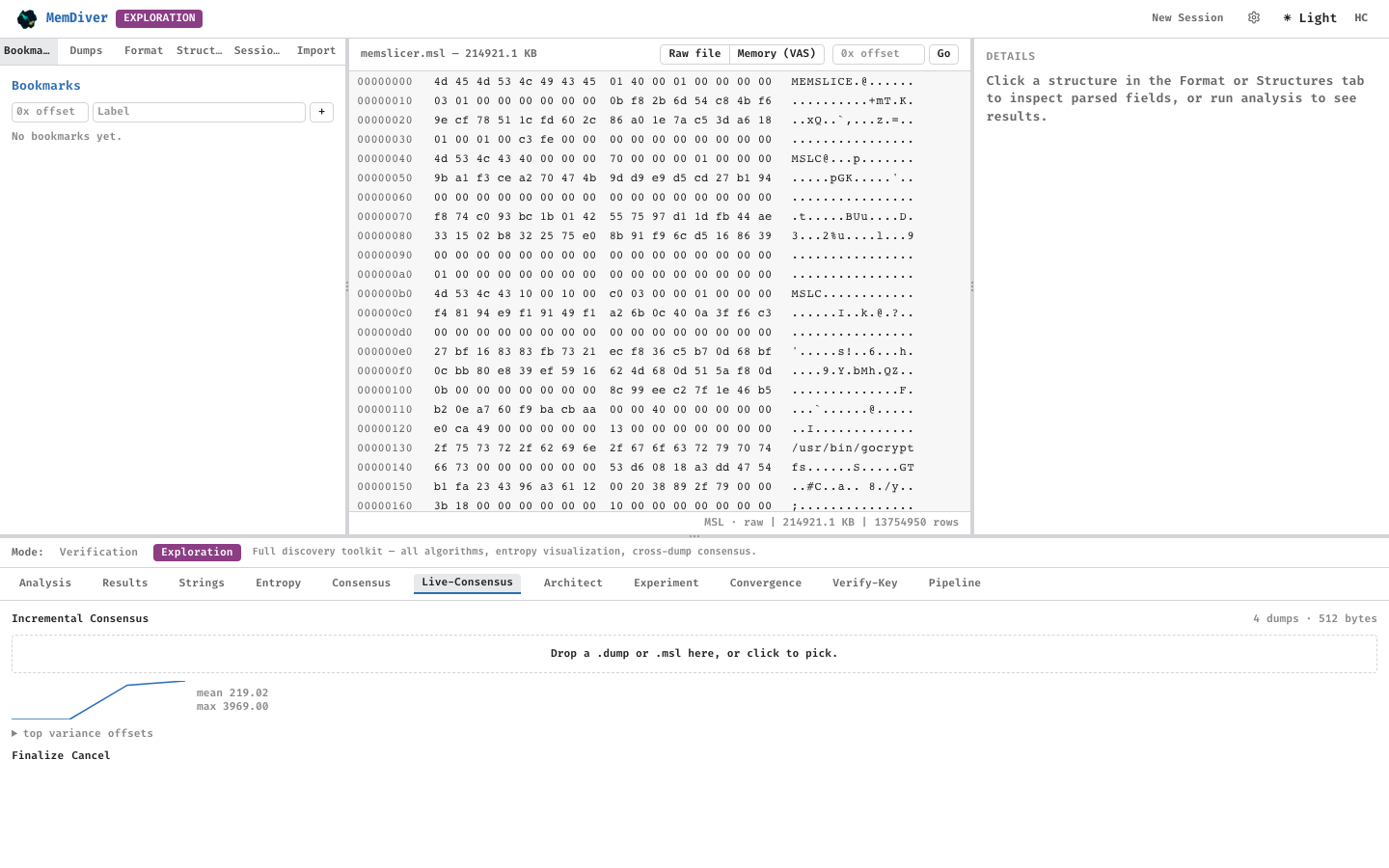
Consensus over multiple dumps from the same library and phase. Classification bands: INVARIANT, STRUCTURAL, POINTER, KEY_CANDIDATE.
Pipeline — oracle stage
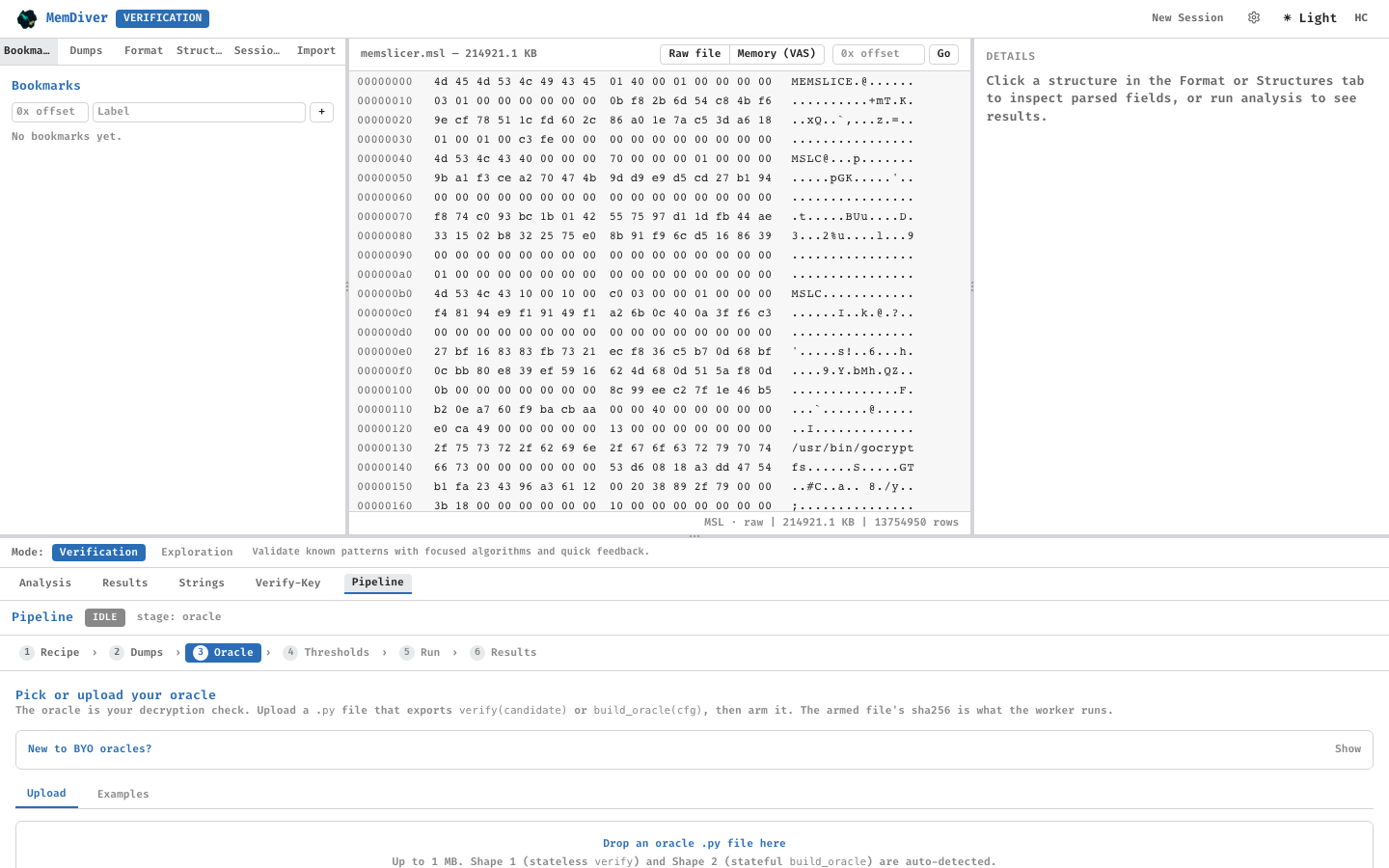
Upload a bring-your-own decryption oracle (Python module matching the oracle interface), arm it, and preview dry-run results.
Pipeline — run dashboard
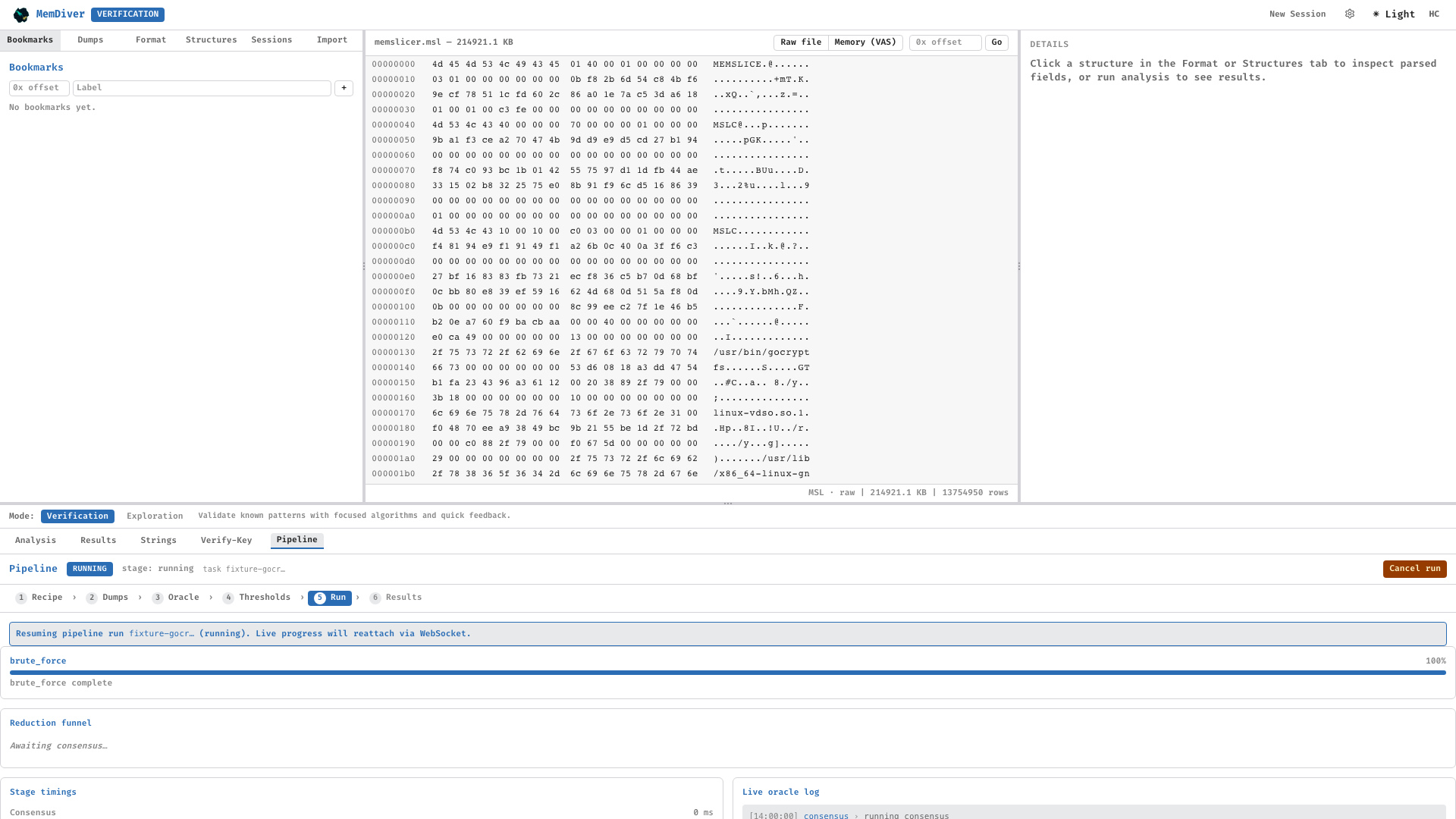
Stages: search-reduce → brute-force → n-sweep → emit-plugin. Funnel shows candidates surviving each stage; live log streams oracle hits.
Pipeline — results
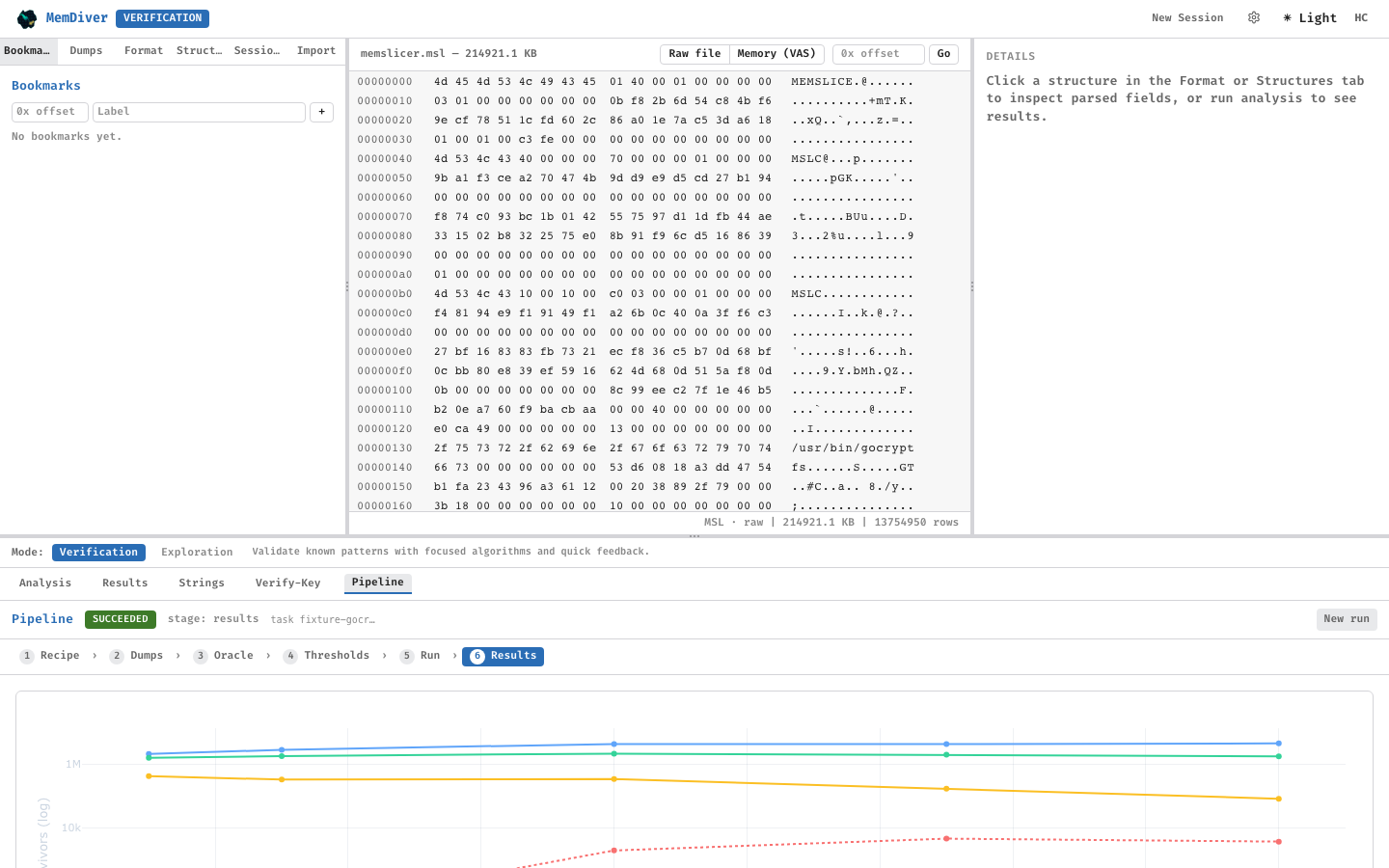
Downloadable artifacts include the finalized Welford state (mean.npy, m2.npy), the hits.json catalog, and the synthesized Volatility3 plugin.
Theme triptych

Light, dark, and dark+high-contrast modes. High-contrast mode passes WCAG AAA for text legibility.
Keyboard shortcuts
Shortcut |
Action |
|---|---|
|
New session |
|
Autosave |
|
Go to offset |
|
Toggle sidebar |
|
Hex navigation / selection |
|
Page-wise scrolling |
|
(with |
|
Toggle hex ↔ ASCII column focus |
|
Clear selection / back in wizard |